When attempting to sign in with a Blackbaud ID account, I receive error "Sorry, something went wrong. Try to sign in again and contact Support if it happens again."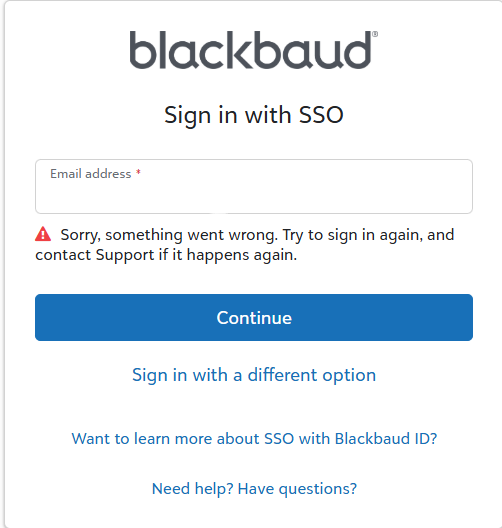
Answer:
If you are receiving this error please perform each of the following steps until the issue is resolved:
- It is possible your account was just created. Try logging in with your email address and the password you created.
- Ensure you have Java and JavaScript enabled in your browser and try creating your account again.
- Clear your browser cache, cookies, and temporary Internet files and create the account or sign in again.
- Reset your Blackbaud ID password even if you are creating a new account as an account with the same email may already exist.
- Try using a different browser. If this happens only with Internet Explorer 11, IE 11 is no longer supported.
- Try using your phone or tablet if it uses your data and not your organization's WIFI.
- If you are able to create your account or log into your Blackbaud ID with your phone or tablet, then something on your organization's firewall or network is blocking your access. Work with your IT department to allow you access.
- Note: Your network/firewall may have Malware or a Trojan virus blocking you from accessing the site.
- Make firewall/proxy setting changes:
- Provide any information you can gather related to your security policies regarding running JavaScript, Trusted Zones, and cookies. Contact your IT department, if needed.
- Create a .HAR file while recreating the issue.
- Please see How to pull browser network logs? How to create a .HAR file? for steps on creating this file in your browser.
Was this article helpful?
That’s Great!
Thank you for your feedback
Sorry! We couldn't be helpful
Thank you for your feedback
Feedback sent
We appreciate your effort and will try to fix the article