How can I log into Tuition Management with my Blackbaud ID (BBID)?
- Go to the Tuition Management school log in page: https://tuition.blackbaud.school/Account/Login
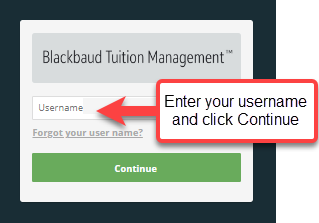
- Enter your Tuition Management account user name > click Continue
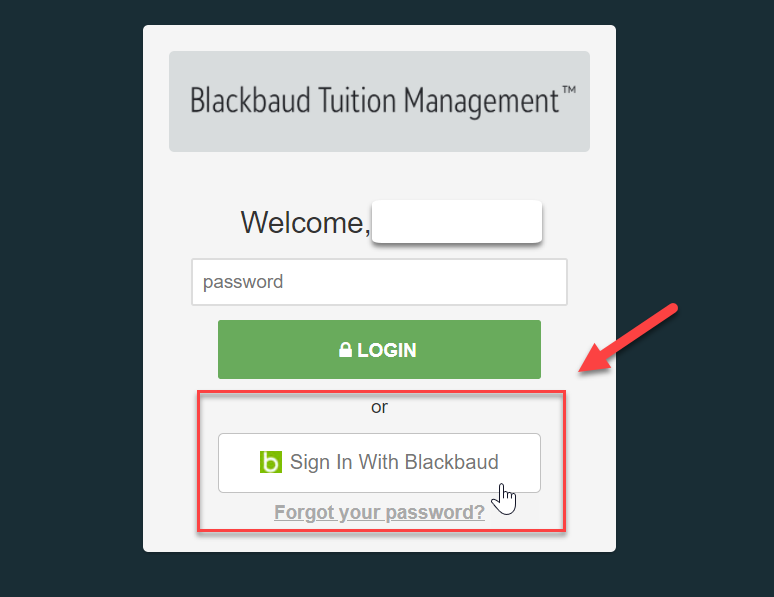
- Click Sign In With Blackbaud
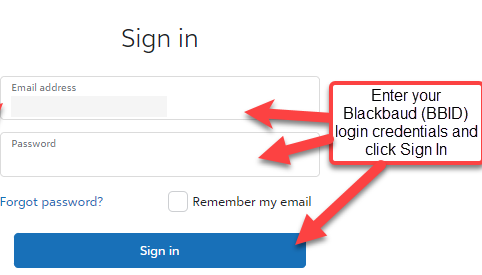
- Enter your Blackbaud account login credentials> click Sign In.
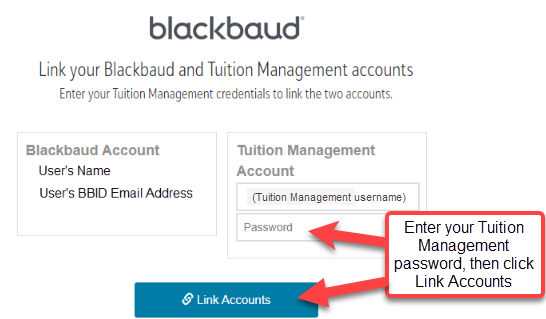
- Enter your Tuition Management password> click Link Accounts.
Was this article helpful?
That’s Great!
Thank you for your feedback
Sorry! We couldn't be helpful
Thank you for your feedback
Feedback sent
We appreciate your effort and will try to fix the article